Floating Action Buttons
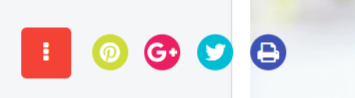
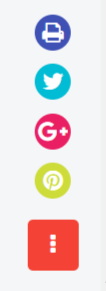
This Amazing Joomla system plugin enables you to display a floating social action button on your website, providing an interactive and visually engaging way to connect visitors with your social media profiles. A floating icon appears on the page, and on hover or click, it expands to reveal multiple social media icons that redirect users to your configured links.
After installation, simply enable the plugin and add your social media URLs through the plugin’s backend settings. You can also fully customize the position and appearance of the floating button to match your website layout and design preferences.
For best results, explore the live preview to see the button in action (typically displayed at the bottom-right corner of the page).
Supported Components:
- Joomla (System Plugin – Site-wide functionality)

Core Features
It’s Supports J3x, J4x and J5x – The latest Joomla
The extension is very lightweight and used clean coding by skilled developer
The styles of the slider is customizable. You can use you color schemes and custom background image
The icons are fully responsive enough to fit any responsive devices
It’s Supports Latest Joomla including J4 Alpha
You can use custom styles to match the style simillar to your template style
FAQ & Version History
Version: 1.1.1
– Published:Â May 17, 2024
– Updated: Added Joomla Support for J3x, J4x & J5x
– PHP Version Support: PHP 5.6 – 8.x
Version: 1.0
– Published:Â Jun 24, 2019
– Support front awsome icon
– Custom links
– Custom Styles
– PHP Version Support: PHP 5.6 or Above
What Joomla versions does it support?
It supports Joomla 3x, J4x and J5x(Latest Joomla)
How can I set my own buttons and links?
In the plugin back end there are buttons options, you can add your own button and links there
Can I customize the styles?
Yes, there are customs styles options in the back end.
Need custom development?
JoomXone develops custom Joomla extensions as well as Joomla website. Feel Free to contact us with your thoughts
How can I get support?
You can get support by posting at our support forum. Please post your queries for this extension by clicking here. Before posting a new query, please search at our forum. you may get solutions of simillar problem.
Admin Screens and Features Breakdown
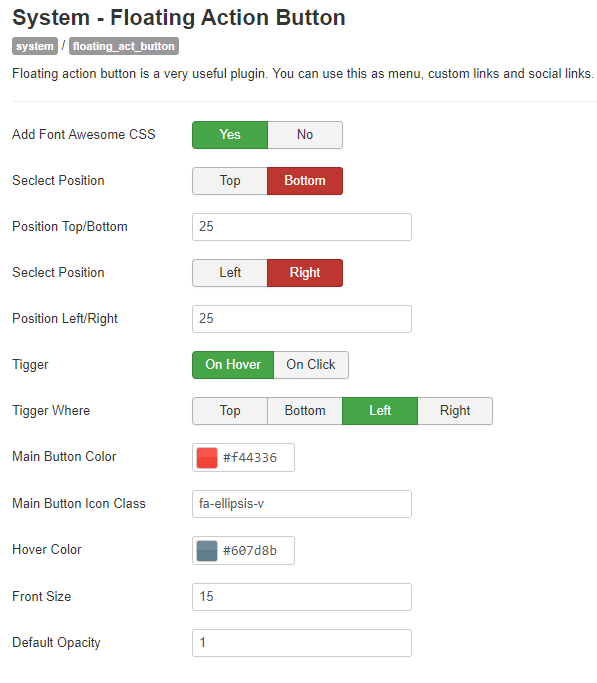
- The floating social button can be displayed across all pages of your website.
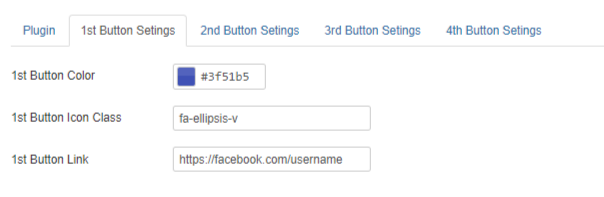
- Easily configure custom social media links from the backend settings panel.
- Option to enable or disable Font Awesome CSS depending on your theme requirements.
- Flexible display positioning with support for custom position values.
- Multiple triggering options available, including display on hover or on click.
- Advanced control to define custom trigger positions for better placement.
- Fully customizable button styles, including the ability to use your own icon classes.
- Font styling options are available for enhanced visual customization.
- Supports major social platforms such as Facebook, X , Instagram, Pinterest, and more.
- Provides 4 different button configuration options for flexible styling and behavior.
- Allows full button color customization to match your website design.
- Offers complete freedom to use any custom button class for advanced styling control.
- Includes dedicated fields to easily define and manage button links.