Jx Brands Display Pro
This is a lightweight, premium Joomla module designed to effectively showcase brand logos on any Joomla-based website. The module is fully responsive, ensuring optimal display across all devices and screen sizes.
It offers two flexible layout options:
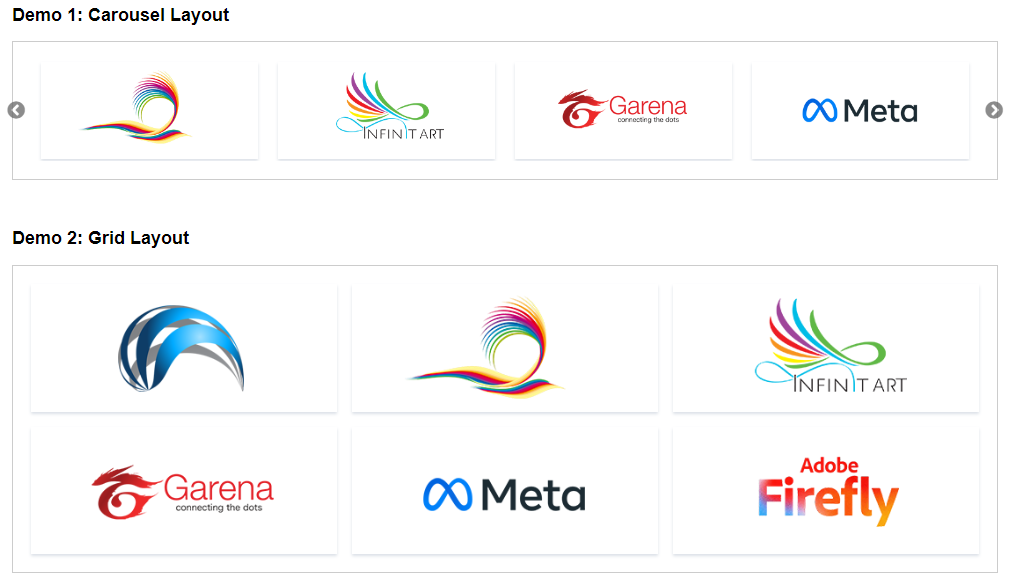
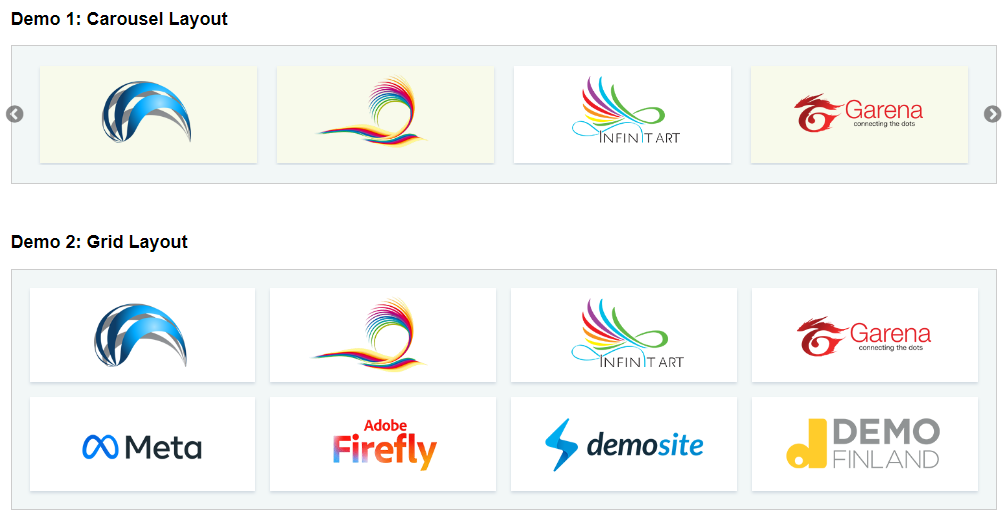
- Default Layout – Displays logos in a clean, organized grid format.
- Carousel Layout – Presents logos within a dynamic and interactive slider.
The Pro version includes an extensive range of advanced features, customization options, and enhanced controls, allowing you to tailor the module to your specific needs. A free/light version of this extension is also available for basic usage and evaluation.
Setting up the module is simple and straightforward:
- Download the extension from this page.
- Install it on your Joomla website.
- Navigate to Joomla Dashboard → Module Manager, then open the module.
- Assign it to your desired module position and publish it.
- Add your brand logos along with any required details.
- Customize the appearance and behavior through the module settings.
With its user-friendly interface and comprehensive configuration options, the Pro version provides greater flexibility and control, making it an excellent solution for professional logo display.

Core Features
It’s Supports J3x, J4x and J5x – The latest Joomla
You can add custom logos with title & link from module back-end
There are two layouts: ‘Carousel’ – Logos display in carousel slider. And ‘Default’ – logos display in a grid layout
The Module is fully responsive enough to fit any responsive devices
The extension is very light weight and used clean coding by skilled developer.
Ther are custom styling options in the Module back-end. You can customize matching with your template.
FAQ & Version History
Version: 1.0.0
– Published:Â March 24, 2024
– Supports Joomla 3x, J4x & J5x
– Initial Release
How do I download the 'zip/extension' after placing order?
- Click on Download button It will add the extension to the cart.
- Go to Cart and checkout (for free extension, payment information is not required).
- Fillup address and other required fields.
- Place order.
- After placing order, please check your email. You will get invoice at your email(at invoice you will get the link of your download area).
- OR after placing order successfully, Please visit this link My Downloads. There you will get the zip to download. (Remember you must be logged in to visit your download area).
What Joomla versions does it support?
It supports any Joomla 3x, J4x and J5x. It does not support Joomla 2.5
How do I configure the extension?
Configuration is very simple:Â
– Install it to your Joomla site.
– From Joomla Dashboard->Module Manger, open the module and publish it to any module position.
– Add Logos, links and required information.
– You can customize the style from module settings.
Can I customize the styles?
Yes, there are customs styles options in the back end, you can choose layout and customize accordingly.
Need custom development?
JoomXone develops custom Joomla extensions as well as Joomla website. Feel Free to contact us with your thoughts.
How can I get support?
You can get support by posting at our support forum. Please post your queries for this extension by clicking here. Before posting a new query, please search at our forum. you may get solutions of simillar problem.
Admin Screens and Features Breakdown
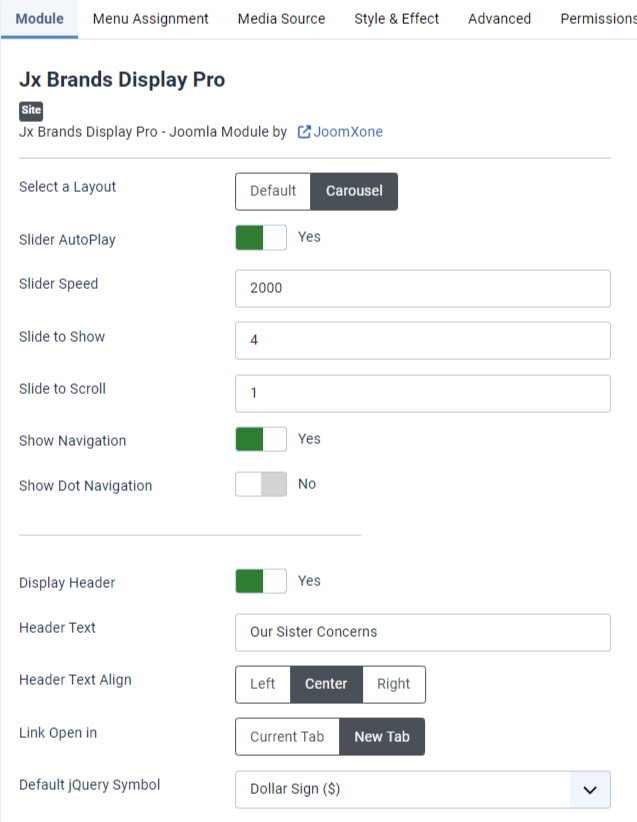
Module Settings:
- Layouts: Choose between Default and Carousel layouts.
- Custom Styles: Apply custom styles to both layouts.
- Carousel Options:
- Enable or disable slider auto-play.
- Adjust slider speed/duration.
- Set the number of slides to show.
- Set the number of slides to scroll.
- Control arrow and DOT navigation.
- Link Behavior: Open logo/brand links in a new tab or the current window.
- Header Settings: Display a custom header with title and adjust additional header controls.
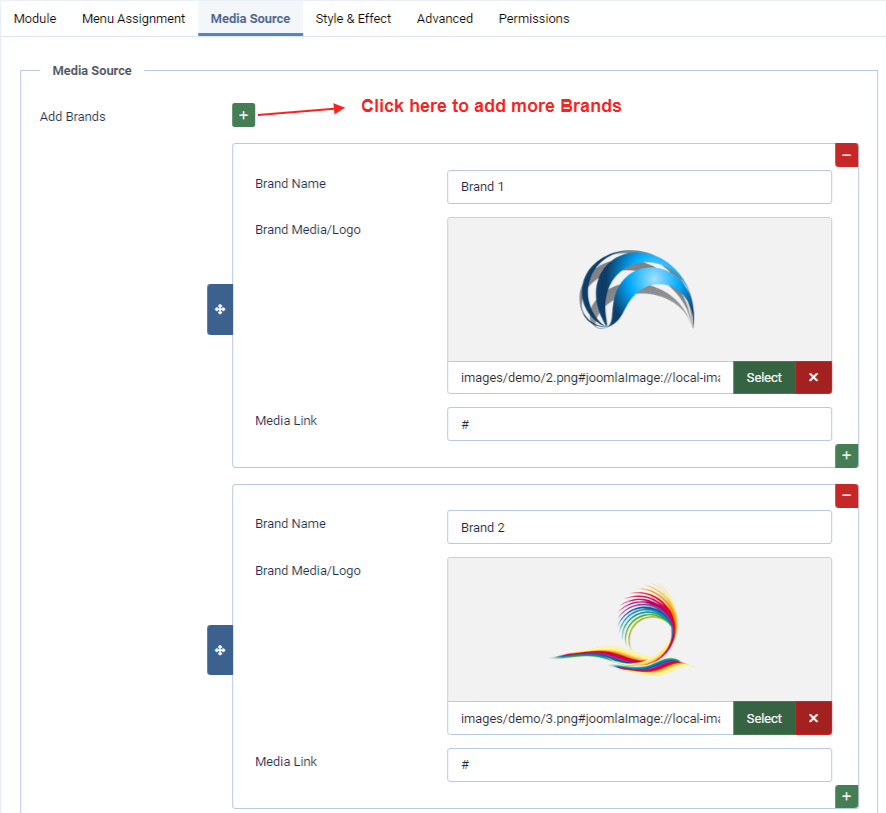
Media Source:
- Add your brand logos, names, and links here.
- This is a Pro version, allowing you to add unlimited brands.
- Upload all logos to your Joomla media/images directory so they can be selected from the module backend.
- Important Instruction: Ensure all logos are the same size before uploading for a consistent and professional appearance.
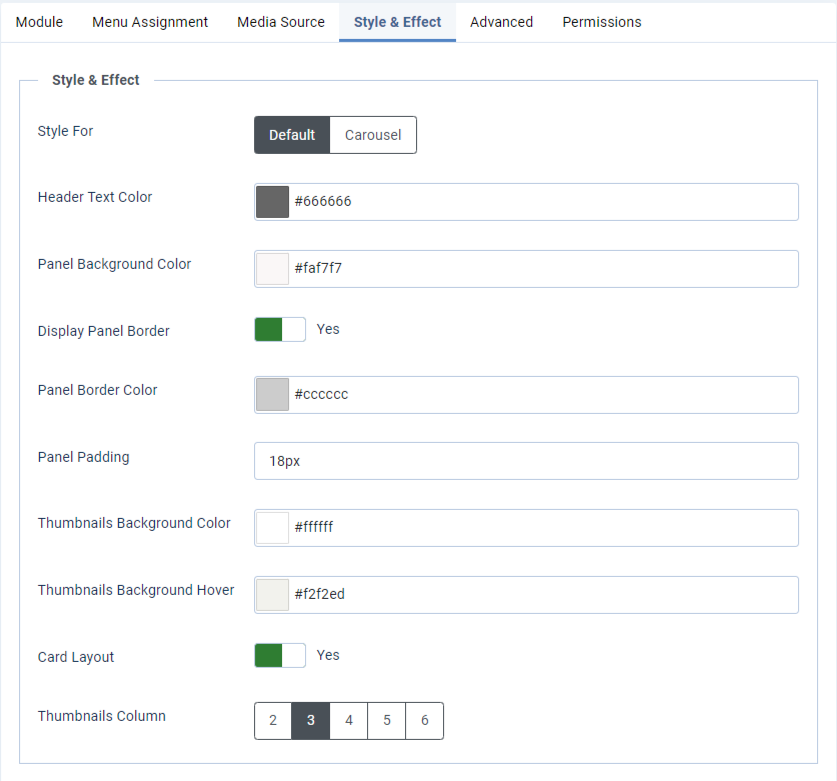
Style & Effect:
- There are custom style options for both layouts.
- Change module background, border, padding, and other styling options.
- Set logo thumbnail background and hover colors.
- Enable or disable the card layout.
- Configure grid columns for the grid layout.
Set navigation colors for the carousel.