Skip to content
Home » Shop » Jx Ajax Contact

Jx Ajax Contact

Add Ajax Contact Form at your site

This is a feature-rich, free Joomla extension designed to manage and display contact information and contact forms on your website. It provides a complete solution for presenting contact details alongside an integrated contact form.

The extension package includes both a plugin and a module, which are installed simultaneously for easy setup. After installation, simply enable the plugin and publish the module in your desired position.

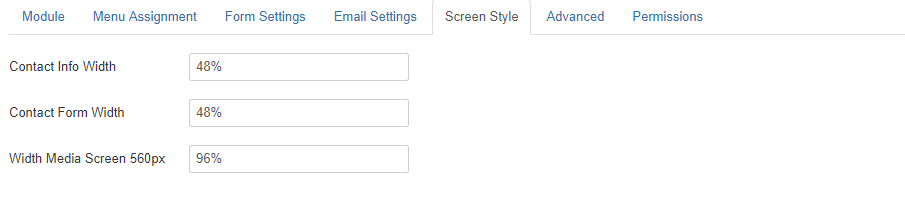
The module backend offers a range of configuration options, allowing you to manage contact form fields and display contact information as needed. It also includes multiple pre-designed color themes, along with additional customization settings to match your website’s design and branding.

With its flexible configuration and user-friendly interface, this extension provides an efficient and professional way to handle contact functionality on any Joomla website.


Core Features

Latest Joomla Support

It supports latest joomla and Joomla 4Alpha.

Custom Button Support

You can set your won button. Just use font awesome button class in the back end

Customizable Styles

The styles of the slider is customizable. You can use you color schemes and custom background image.

Fit to Responsive Devices

The contact form is fully responsive enough to fit any responsive devices

Light Weight

The extension is very light weight and used clean coding by skilled developer.

Style Matched Template

You can use custom styles to match the style simillar to your template style

FAQ & Version History

Version History

– Updated: February 05, 2024

– PHP Updated: Up to PHP 8x

– PHP Script updated

– Minor Big Fix

– Published: August 03, 2019

– Email Sending Options by PHP Mailer

– Form Transition style

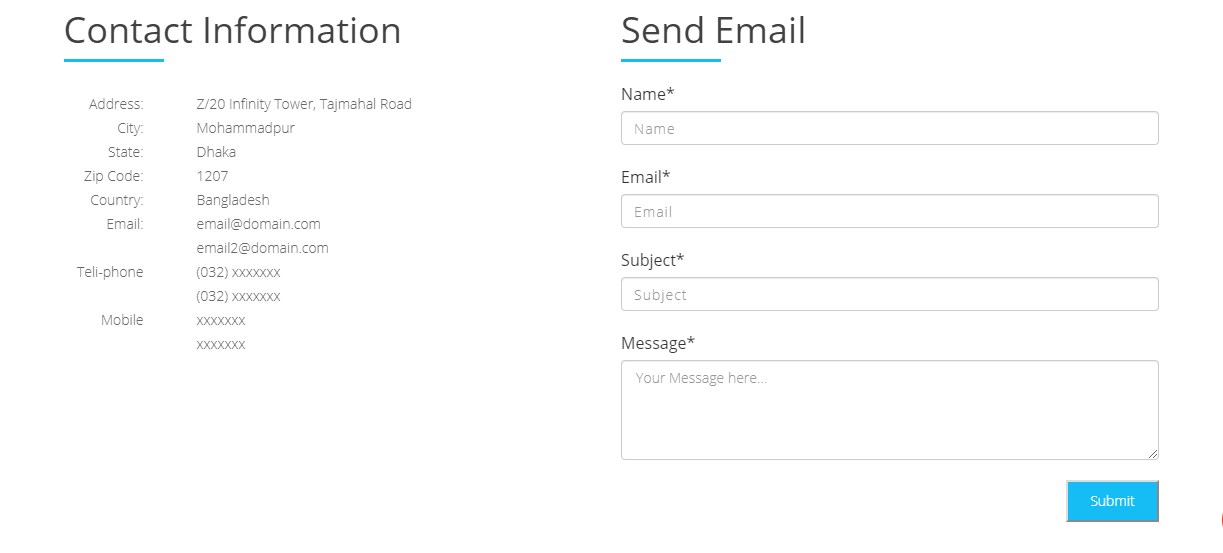
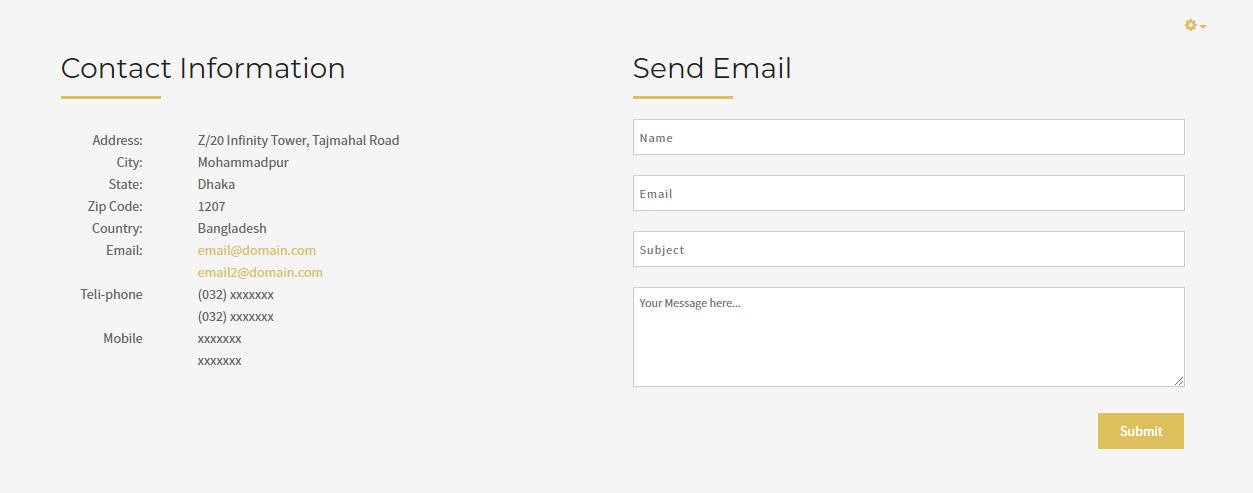
– Contact Info & Form Display

FAQ

It supports any Joomla 3x, J4x and J5x. It does not support Joomla 2.5

At first Install the package. It will install a plugin and a module. Now first enable the plugin and then publish the module. The search field will displayed by the module.

Click on Microphone Button, and say something. It will record your voice and search instantly.

Make sure you are online and your site domain has https://. Secondly for the first time recording you browser might not allow recording. So It will send you notification to allow recording. By default it may block recording. So you can allow it. Once it is allowed, and when you click on microphone button a red color dot(.) will be blicking at your browser tab. So you are good to go.

Well, the extension uses Speech Recognition API. Currently this API is not supported by all Browsers. Currently It supports – Chrome, Safari, Samsung Internet, QQ Browser, Badu and Firefox-Latest verisons(for Firefox not supported by default, but can be enabled).

JoomXone develops custom Joomla extensions as well as Joomla website. Feel Free to contact us with your thoughts.

You can get support by posting at our support forum. Please post your queries for this extension by clicking here. Before posting a new query, please search at our forum. you may get solutions of simillar problem.

Admin Screens and Features Breakdown

Features Breakdowns

Module Settings:

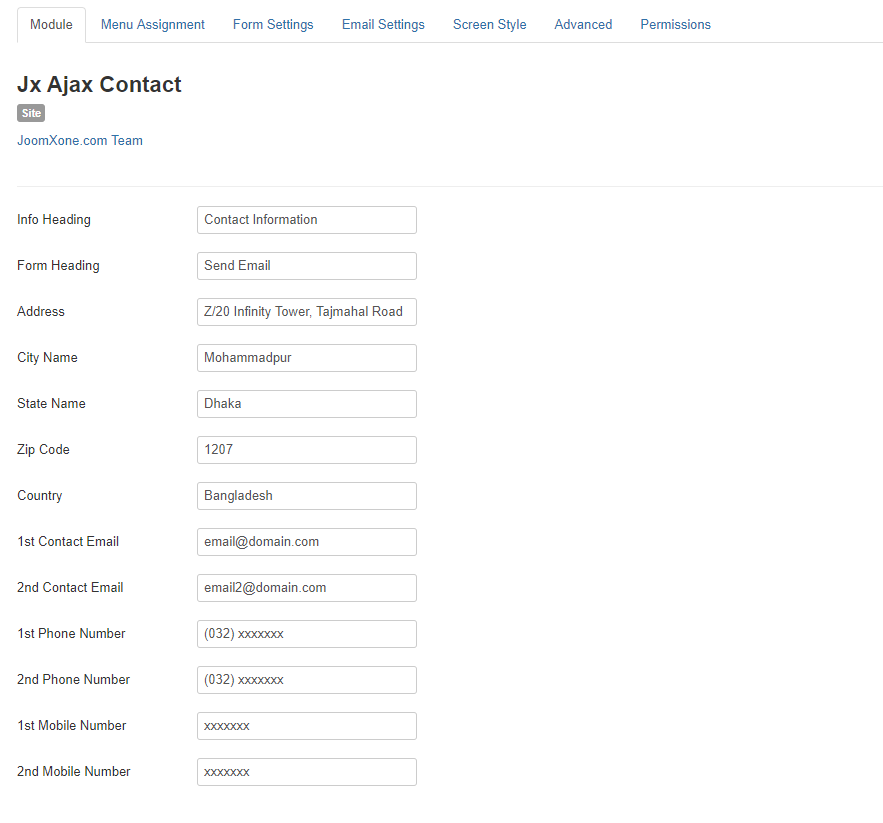
  • Add a form title or contact heading.
  • Enter your company contact details (country, state, city, office address, etc.).
  • Provide contact email address and phone numbers.

Form Settings and Styling:

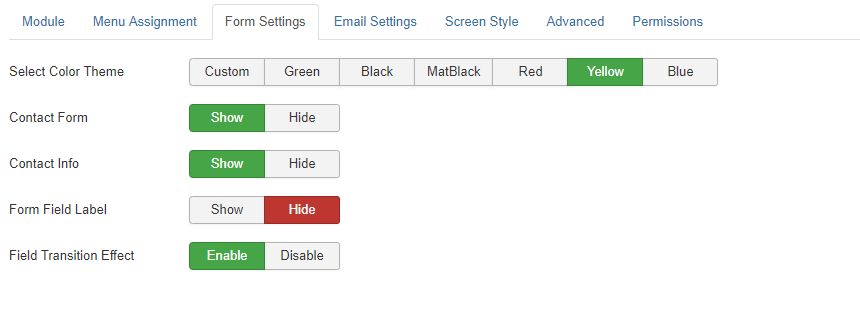
  • Choose a theme from multiple options, or select custom settings to create your own style.
  • Show or hide the contact formcontact information, and form labels.
  • Enable or disable form transition effects.

Email Configuration:

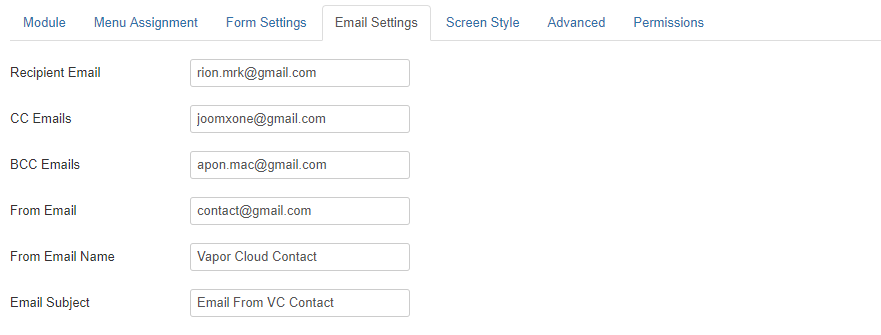
  • By default this extension uses PHP Mailer. Even if you use SMTP mailer at your Core Joomla Settings, It will work by PHP mailer as well.
  • Configure Recipient, CC, and BCC email addresses.
  • Set the From NameFrom Email, and Email Subject.

Write Your Own Content:

  • Instead of using dynamic Joomla content, you can create your own custom content for the slider.
  • Add a title, description, and image, along with a “Read More” link.

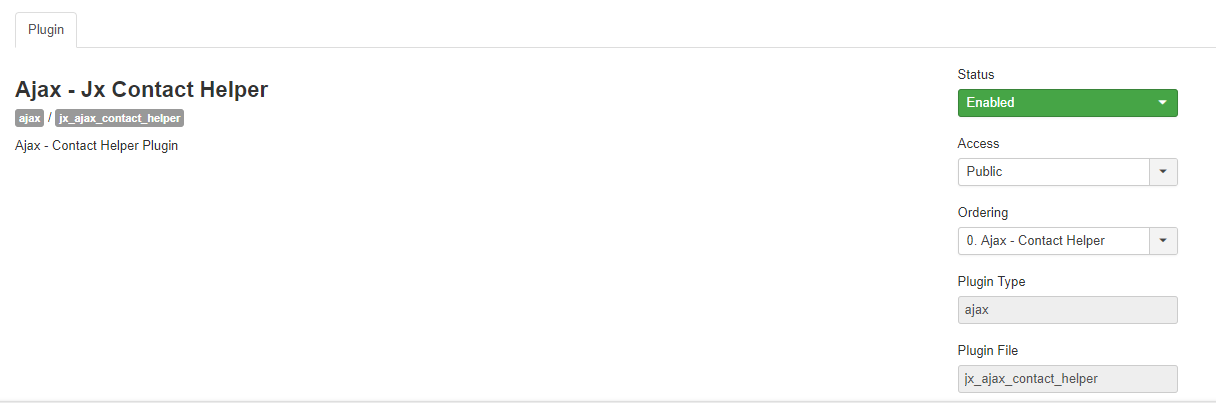
Plugin Settings:

  • This plugin does not require any specific configuration.
  • It works in the background to send emails via Ajax requests.
  • Make sure the plugin is enabled before or after configuring the module for proper functionality.

Frontend Mockup

Free Support
Secured Payment
pay-money
15-Days Moneyback Guarantee