Secured PDF Viewer
This powerful content plugin works with a simple shortcode, allowing you to embed multiple PDFs effortlessly into your Joomla articles or K2 items. It fully supports both Joomla core articles and the K2 component.
Simply install and enable the plugin, then insert the PDF URL using the provided shortcode in your desired content. You can find shortcode examples in the plugin backend as well as in the FAQ section of this page.
For best results, use the editor’s toggle (HTML) mode when inserting the shortcode.
Supported Components:
- Joomla Core Articles
- K2 Items (J3x only)

Core Features
It supports Joomla native articles and Com K2 Items. Use shortcode –Â {seqpdfviewer=YOUR_PDF_FILE_PATH}.
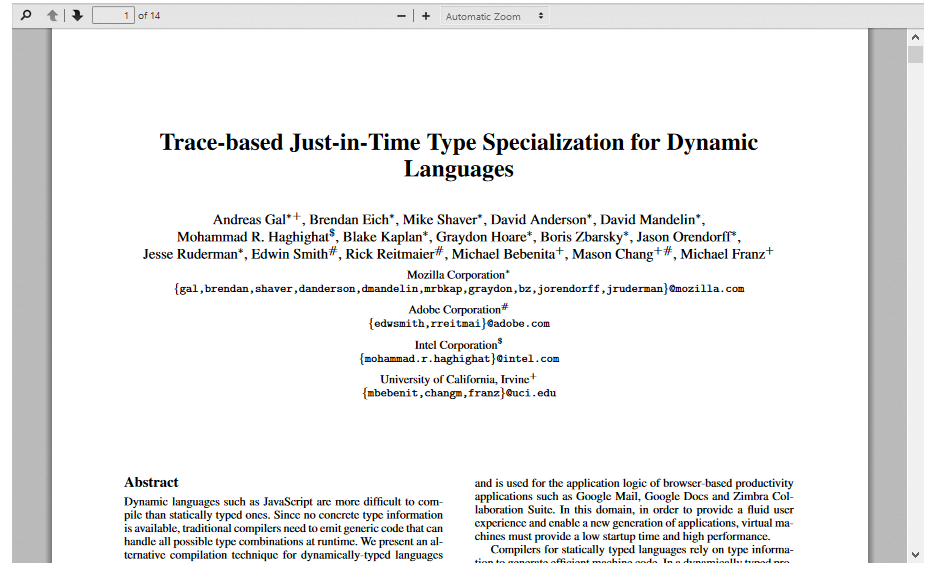
The plugin makes the PDF fully secured. No option to download the file.
It has two themes one is light and other one is dark. There is more option of styles.
The icons are fully responsive enough to fit any responsive devices
You can set width and height. This plugin is shortcode based so you can display the plugin anywhere throw the article.
You can load directly throw page number and default zoom control.
FAQ & Version History
Version: 2.5.0
– Published:Â January 18, 2024
– PHP Script Updated
– JS Script Updated
– Supports Joomla 3x, J4x and J5x
– PHP Version Support: PHP 7.2 – latest PHP 8.x
– Improved code and Minor Bug fix
Version: 2.0
– Published: Aug 10, 2023
– Support front awsome icon
– Custom links
– Custom Styles
– PHP Version Support: PHPÂ 6.5x – 7.4x
– Joomla 3x, J4 Alpha & Beta Supported
Version: 1.5
– Published:Â Jun 24, 2019
– Support front awsome icon
– Custom links
– Custom Styles
– PHP Version Support: PHP 5.6 or Above
Version: 1.0
– Published:Â Jun 24, 2019
– Support front awsome icon
– Custom links
– Custom Styles
– PHP Version Support: PHP 5.6 or Above
What Joomla versions does it support?
Secured PDF viewer-v2.5.0 supports J3x/J4x/J5x Joomla versions.It does not support Joomla 2.5
What is the shortcode?
{seqpdfviewer=YOUR_PDF_FILE_PATH}Â the following short-code with your pdf file link in any Joomla Articles or K2 Items
What is the pdf size?
You can set hight width from backend. Don’t worry it’s responsive in small screen because we set max width 100% in backend.
Can anybody download PDF? or copy content ?
If you enable ‘Secure PDF’ option in the back-end, then user will not be able to download the PDF and cannot copy text from it. Even mouse right-click will be disabled.
My PDF is not loading! or It's showing some error! what can I do?
In very few case PDFÂ might not load or it may show some error code If –Â
- Your site domain contains ‘www’.
- your PDF size is more than 25MB.
- your browser has IDM(Internet Download Manager) Extension
There are solutions for these issues. If you face such issues please contact us, look for solutions in the support forum or post at our forum. Our support experts will help you and give you free support.
Can I customize the styles?
Yes, there are two theme options ‘light’ and ‘dark’ in the backend. There are few other custom options too.
Need custom development?
JoomXone develops custom Joomla extensions as well as Joomla website. Feel Free to contact us with your thoughts
How can I get support?
You can get support by posting at our support forum. Please post your queries for this extension by clicking here. Before posting a new query, please search at our forum. you may get solutions of simillar problem.
Admin Screens and Features Breakdown
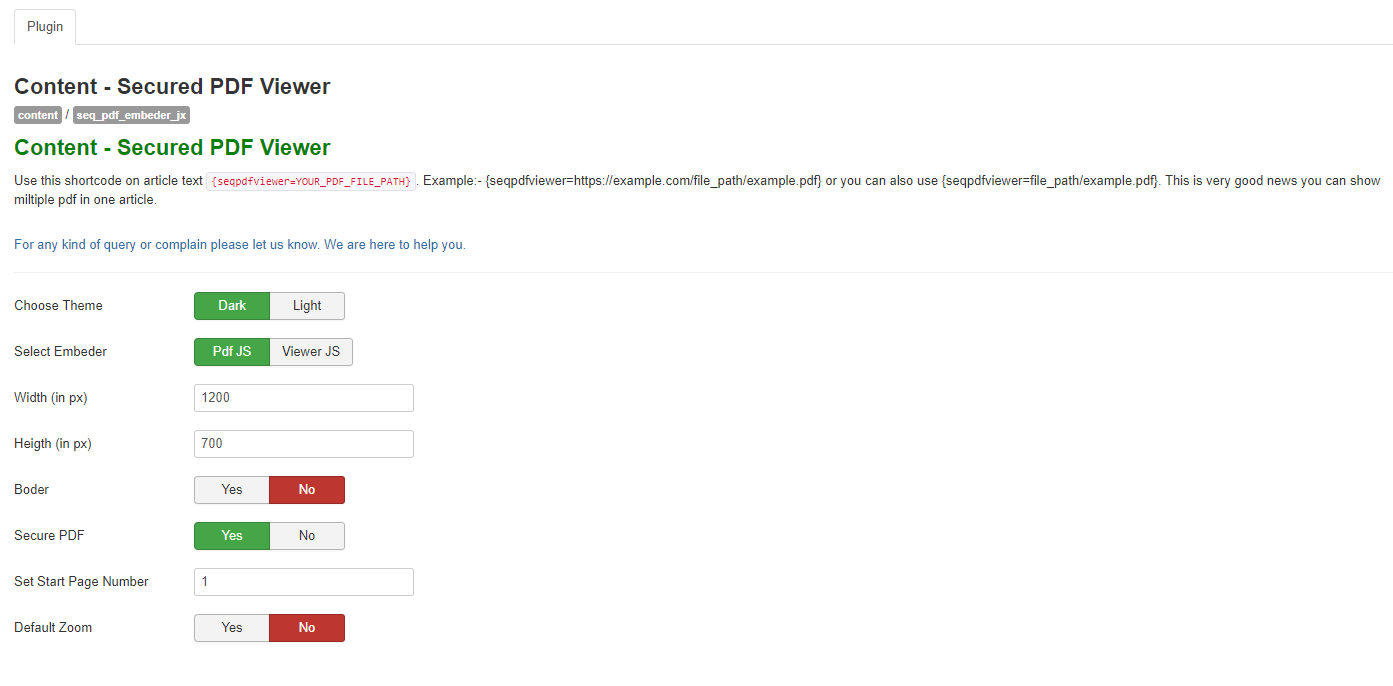
- Choose between Dark and Light themes based on your design preference.
- Select your preferred PDF viewer library for optimal viewing experience.
- Configure custom height and width for precise layout control.
- Flexible display position settings, including support for custom positioning values.
- Option to enable or disable borders around the PDF viewer.
- Define custom trigger positions for better placement control.
- Set a starting page number for document initialization.
- Enable or disable default zoom settings for improved viewing flexibility.