Jx Voice Search for Joomla
This is a light weight free Joomla Module can be very useful to display Brand Logos to any Joomla website. This Module is fully responsive to fit any device. There are two layouts of this module – ‘Default’ that can display the logos in grid layout. Another one is ‘Carousel’ displays the logos in a carousel slider. The configuration is very easy –Â
- Download the extension from this page.
- Install it to your Joomla site.
- From Joomla Dashboard->Module Manger, open the module and publish it to any module position.
- Add Logos and required information.
- You can customize the style from module settings.
Core Features
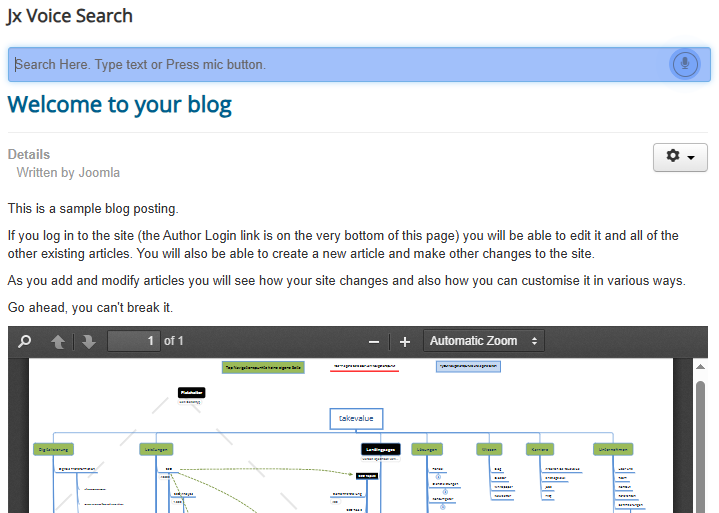
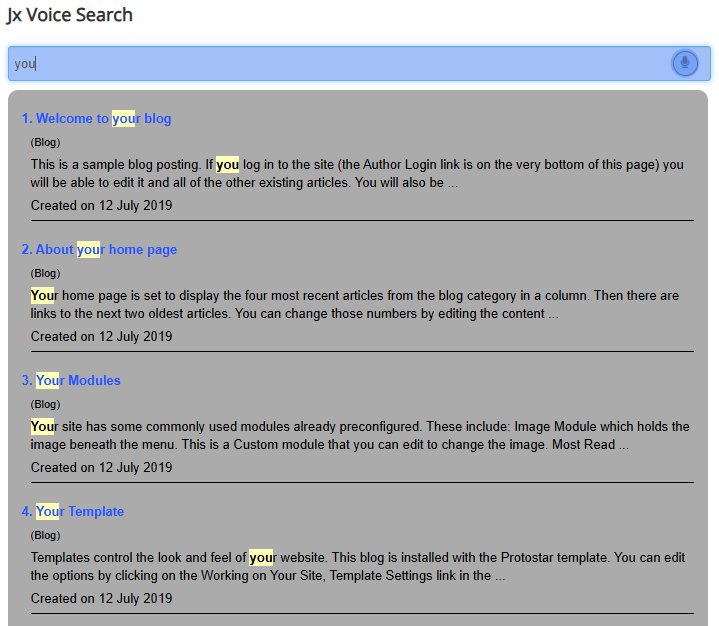
Joomla Com_Content or native Articles can be searched.
The extension is very lightweight and used clean coding by a skilled developer
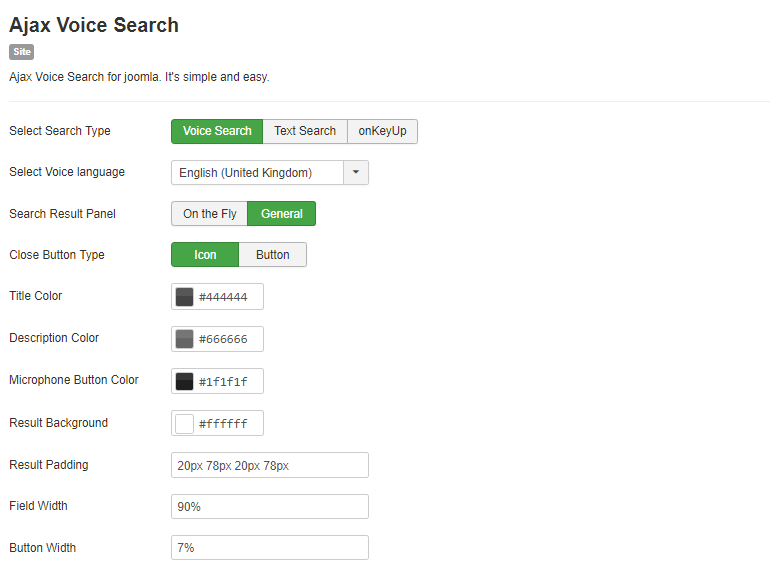
Support All Voice Languages. The Languages you want to use, must be installed at your Joomla Site
The extension UI follows fully responsive behaviors
You have layout customization options and styles
You can use custom styles to match the style simillar to your template
FAQ & Version History
Version: 1.0.0
– August 17, 2019
– Supports Latest Joomla and 4 Alpha also
–Â Searches Content Titles
– Custom Styles
What Joomla versions does it support?
It supports any Joomla 3x version including latest Joomla and also it supports J4 Alpha. It does not support Joomla 2.5
How Voice Search Works?
Click on Microphone Button, and say something. It will record your voice and search instantly.
Why my voice is not recording? or Recording does not work?
Make sure you are online and your site domain has https://. Secondly for the first time recording you browser might not allow recording. So It will send you notification to allow recording. By default it may block recording. So you can allow it. Once it is allowed, and when you click on microphone button a red color dot(.) will be blicking at your browser tab. So you are good to go.
Which browsers does it support?
Well, the extension uses Speech Recognition API. Currently this API is not supported by all Browsers. Currently It supports – Chrome, Safari, Samsung Internet, QQ Browser, Badu and Firefox-Latest verisons(for Firefox not supported by default, but can be enabled).

Need custom development?
JoomXone develops custom Joomla extensions as well as Joomla website. Feel Free to contact us with your thoughts.
How can I get support?
You can get support by posting at our support forum. Please post your queries for this extension by clicking here. Before posting a new query, please search at our forum. you may get solutions of simillar problem.
Admin Screens and Features Breakdown
Jx Voice Search:
- Display documents on any page (com_content / K2 items) of your site.
- This is a shortcode-based Joomla plugin—place the shortcode anywhere in your article or K2 item.
- Shortcode format: {jxdocembed=YOUR_FILE_PATH_HERE}
- Display multiple documents on a single page using the shortcode.
- Set custom width and height from the plugin backend options.
- Enable or disable border settings.
- Show or hide the download button, allowing users to download documents.
- Choose custom button classes for styling.