Site Background Gradientify for Joomla
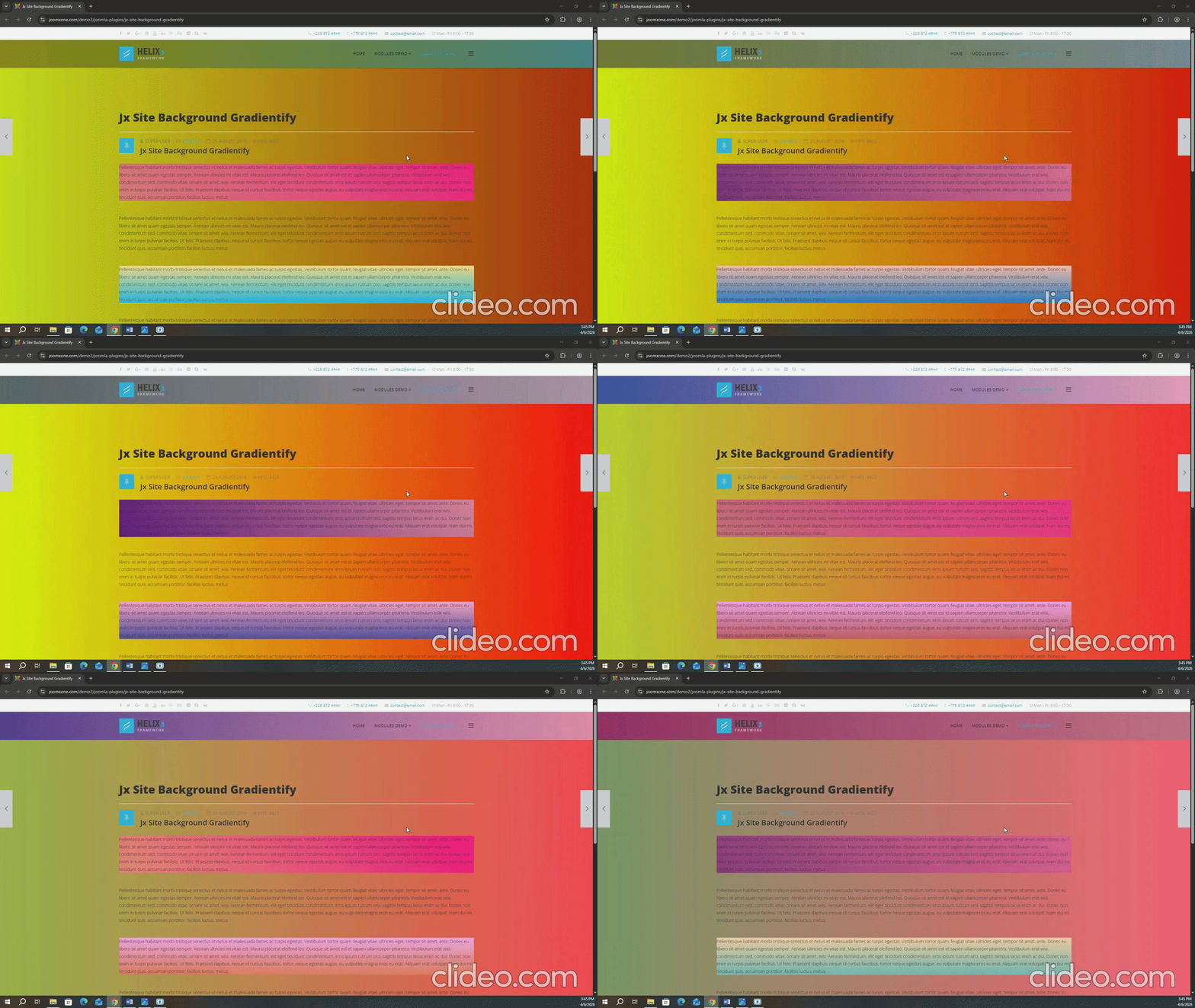
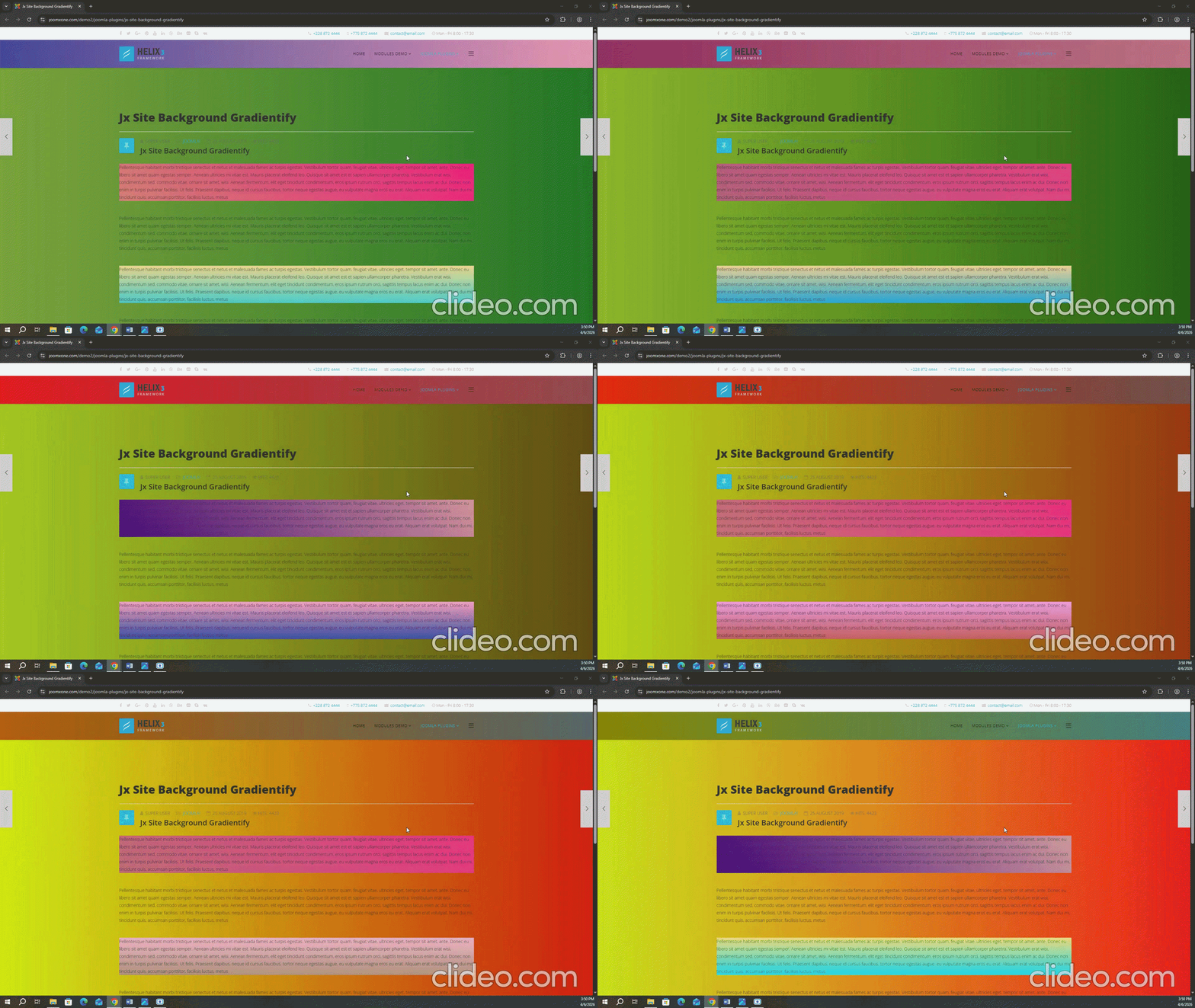
Site Background Gradientify is a awesome Joomla System Plugin that enhances your website’s visual appeal by applying beautiful gradient background effects across your pages. It allows you to create modern, dynamic backgrounds that significantly improve the overall design of your site.
The plugin provides flexible control to assign different gradient styles to specific pages using built-in page selection conditions. Additionally, it introduces frontend class-based targeting from the backend, enabling you to apply unique gradient effects to different sections or elements by assigning custom classes.
Configuration is simple and user-friendly—just install the plugin, enable it, choose your preferred gradient styles and conditions, and save the settings.

Core Features
It support latest Joomla 3.9 and above.
You can set class name where the Gradient will be displayed. options are in the Plugin back end
The styles of the Gradient is customizable. You can use you color schemes and set angle.
The Gradient is fully responsive enough to fit any smart devices
The extension is very lightweight and used clean coding by a skilled developer
You can use custom styles to match the style simillar to your template
FAQ & Version History
Version: 1.0
– Published: March 05, 2021
– Support Latest Joomla
– System Plugins
– Custom Styles & Positions
– PHP Version Support: PHP 5.6 or Above
What Joomla versions does it support?
It supports any Joomla 3x version including latest Joomla and also it supports J4 Alpha. It does not support Joomla 2.5
How the the class selection work?
Just turn on the option from the backend and save the plugin. Then reload the frontend You will get an alert. Go to backend and reload. You will get all class list on Select a class option. If you need other page classes do the same thing.
How many color do i set for one class?
You can set unlimited color for one class by press plus(+) icon.
Need custom development?
JoomXone develops custom Joomla extensions as well as Joomla website. Feel Free to contact us with your thoughts
How can I get support?
You can get support by posting at our support forum. Please post your queries for this extension by clicking here. Before posting a new query, please search at our forum. you may get solutions of simillar problem.
Admin Screens and Features Breakdown
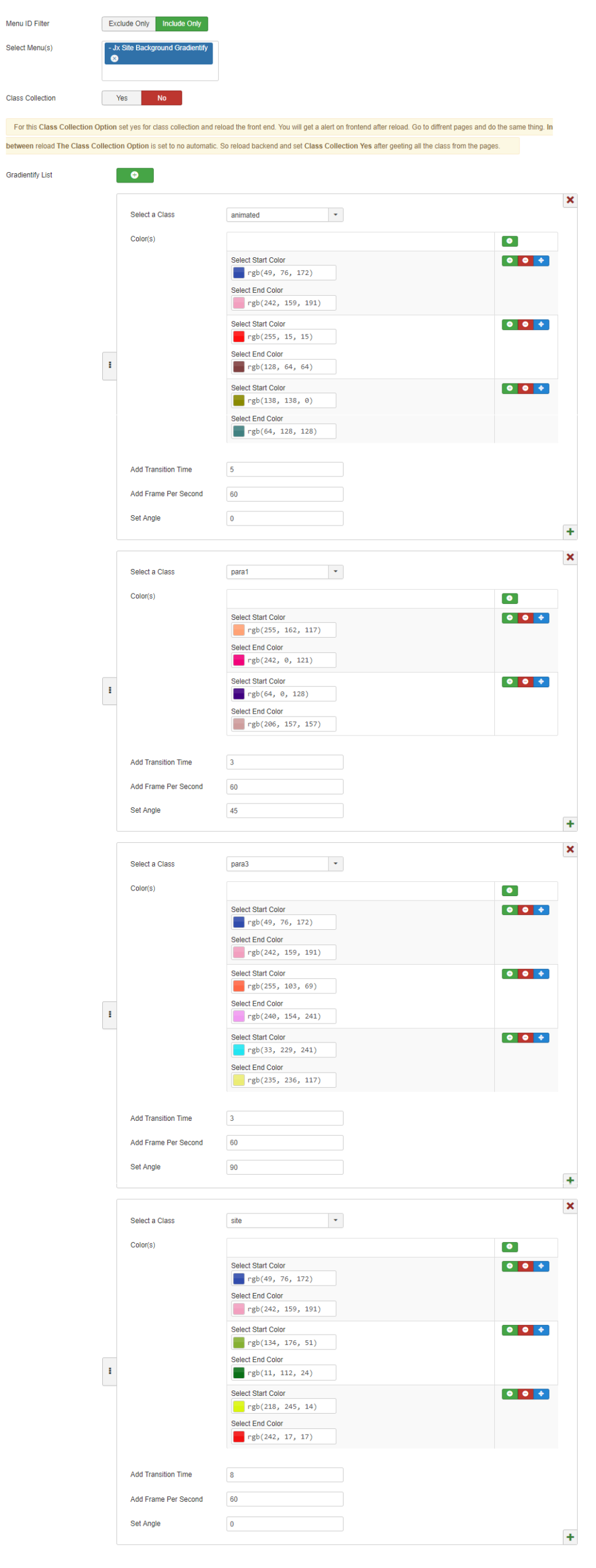
- Ability to include or exclude specific menu items, allowing gradients to be applied only to selected pages.
- Option to enable or disable automatic frontend class collection, helping dynamically detect and manage CSS classes.
- Add multiple gradient configurations using an intuitive “+” button, where each entry represents a separate gradient setup.
- Assign gradients to specific CSS classes (e.g., animated, para1, para3, site) via a dropdown for targeted customization.
- Define multiple gradient color pairs (Start → End) with support for layered gradients, including easy-to-use RGB color pickers.
- Easily enable/disable, delete, or reorder gradient configurations for better management.
- Customize visual effects with controls for transition time, frames per second, and gradient angle for smooth and dynamic presentation.