Skip to content
Documentations
Introduction
Plugin Version: 1.0.0 - last updated version
Site Background Gradientify - Joomla Plugin

Site Background Gradientify – an awesome Joomla System Plugin! that shows beautiful Page Background with Gradient effect at you Joomla site. You can set different designs for different pages. Page selection condition is also available. We introduce the front end class selection from the back end. You can add different gradient on different classes. The configuration is very simple – Just install the Plugin, Enable it and choose options and save the Plugin.

Documentations
Installation

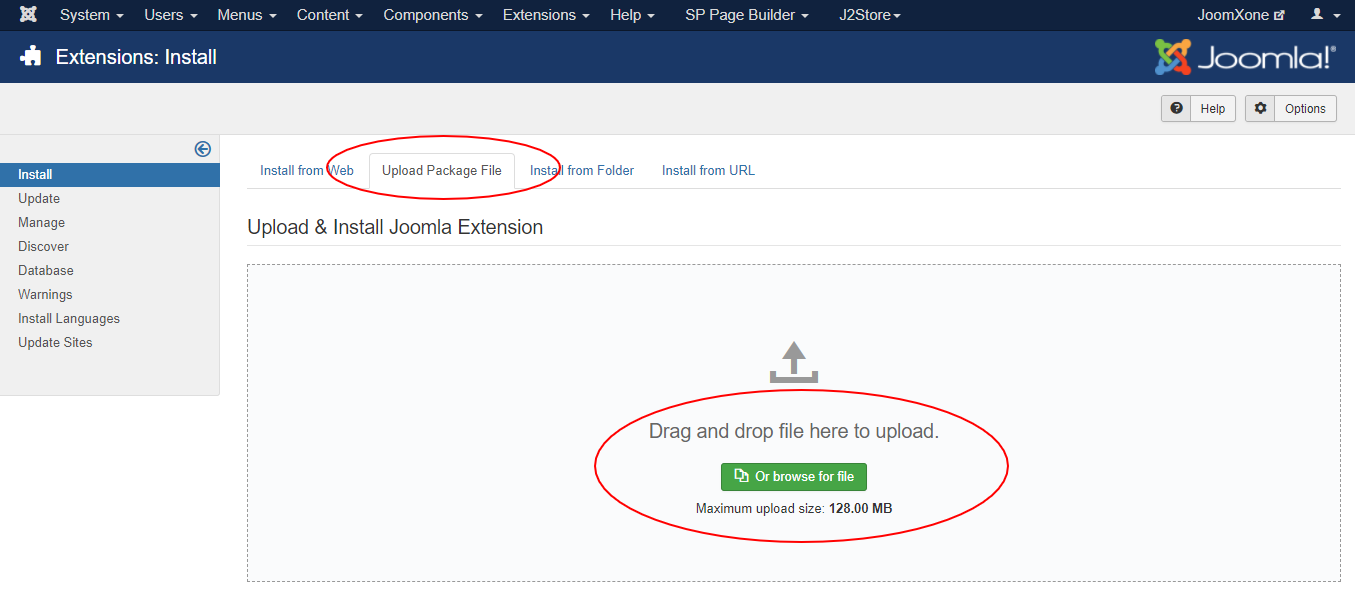
This Plugin installation is same as you install other Joomla extensions. Please follow the steps below – 

  • Login to Joomla Administrator Panel
  • From top bar menu, go to Extensions → Manage
  • Select Upload Package File tab. Now drag and drop the extension zip file. OR you can browse the zip file and upload. That’s it
  • When uploading is done, you will see the success message of the installation. Now you can enable the module from Plugin manager and configure it.
Documentations
Configuration

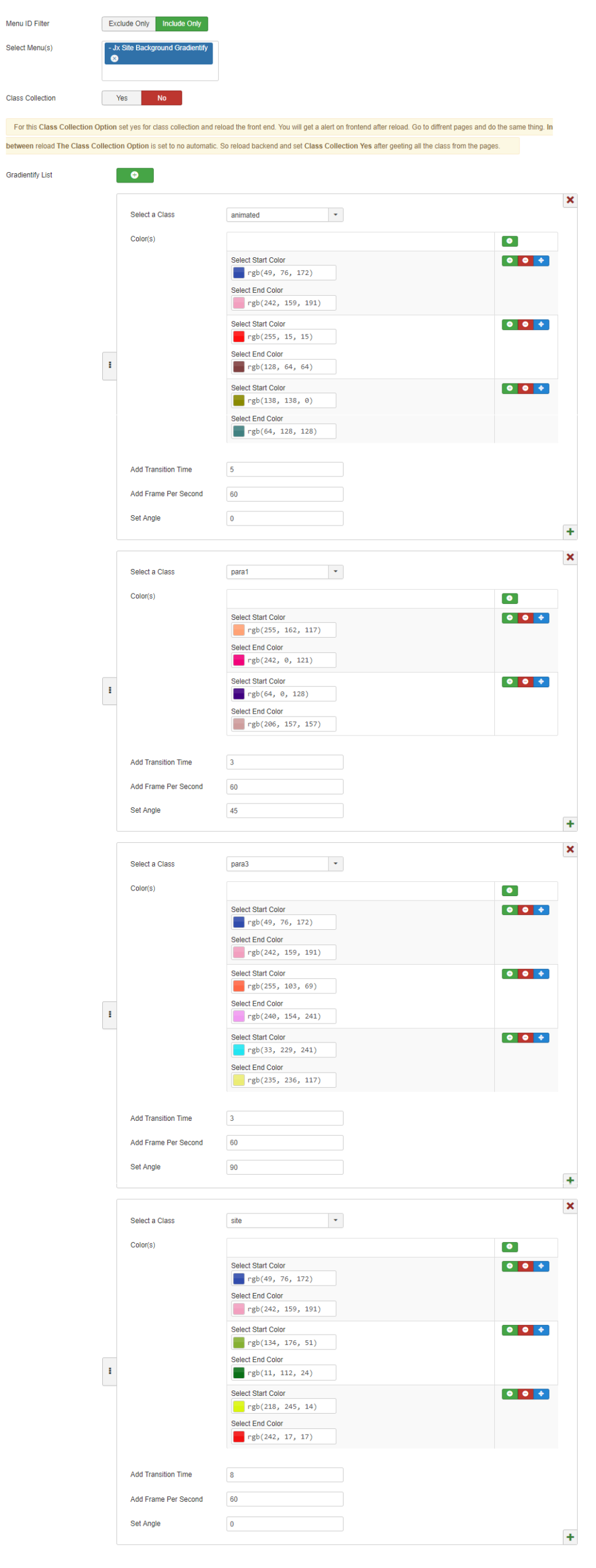
Plugin Configuration Process:

  • Go to Extensions → Plugins (Plugin Manager) in Joomla.
  • Open the plugin and enable it first.
  • Review all available plugin configuration options and adjust them as needed.

Menu ID Filter:

  • Option to include or exclude specific menu items
  • Allows applying gradients only to selected pages

Class Collection Toggle:

  • Enable/Disable automatic frontend class collection
  • Helps detect and assign CSS classes dynamically

Gradient List Section:

  • Add multiple gradient configurations using a “+” button
  • Each block represents a separate gradient setup

Class-Based Gradient Assignment:

  • Dropdown to select a specific CSS class (e.g., animated, para1, para3, site)
  • Apply unique gradient styles per class

Color Configuration:

  • Multiple gradient color pairs (Start Color → End Color)
  • Supports multiple layered gradients per class
  • Easy color pickers with RGB values

Add / Remove / Reorder Options:

  • Buttons to enable/disable, delete, or rearrange gradient sets

Animation & Control Settings:

  • Transition Time (controls animation speed)
  • Frames Per Second (smoothness of animation)
  • Gradient Angle (direction of gradient flow)
Documentations
Video Documentation

Check the following video documentation of a wide overview of configuration of the plugin.

Documentations
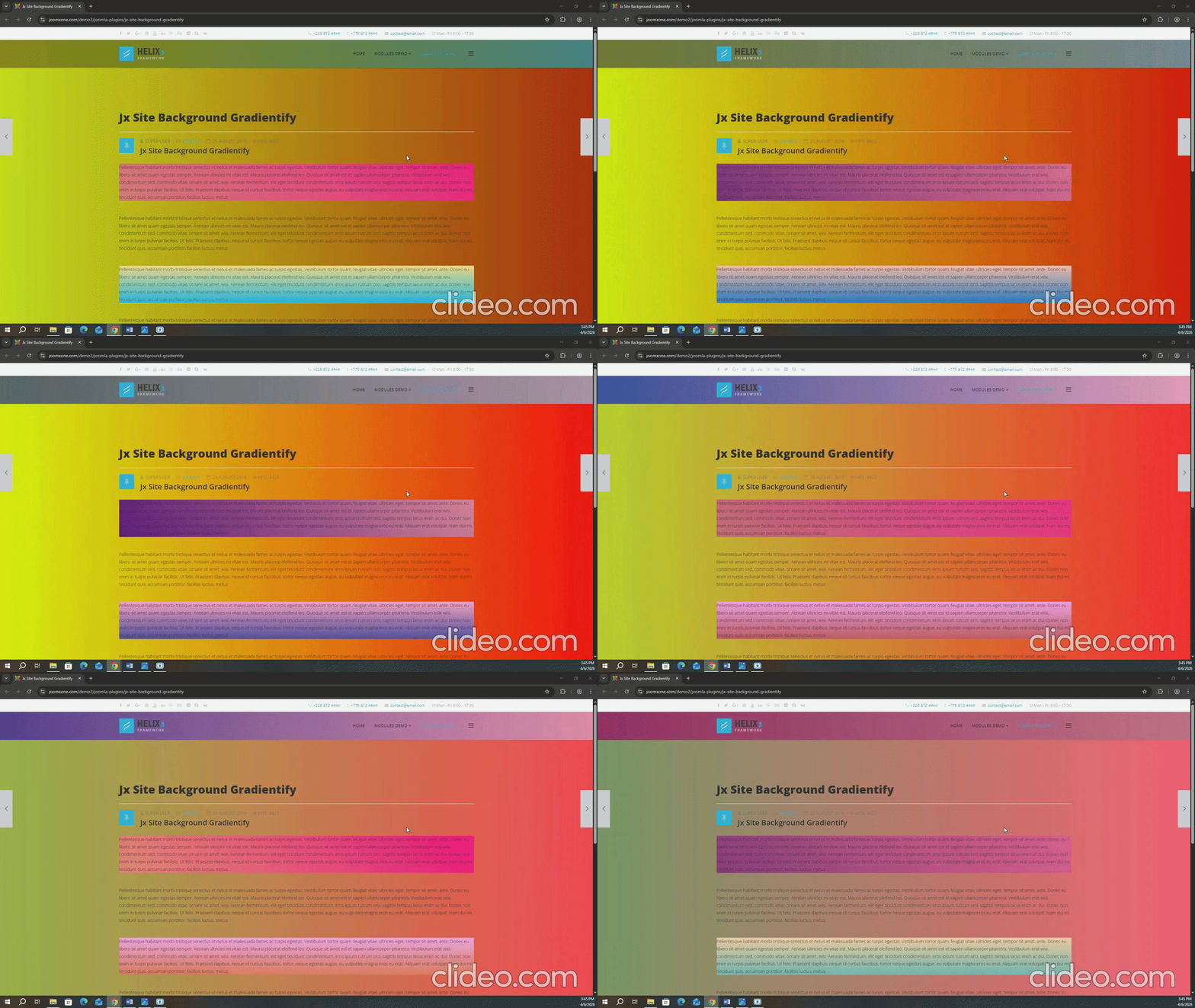
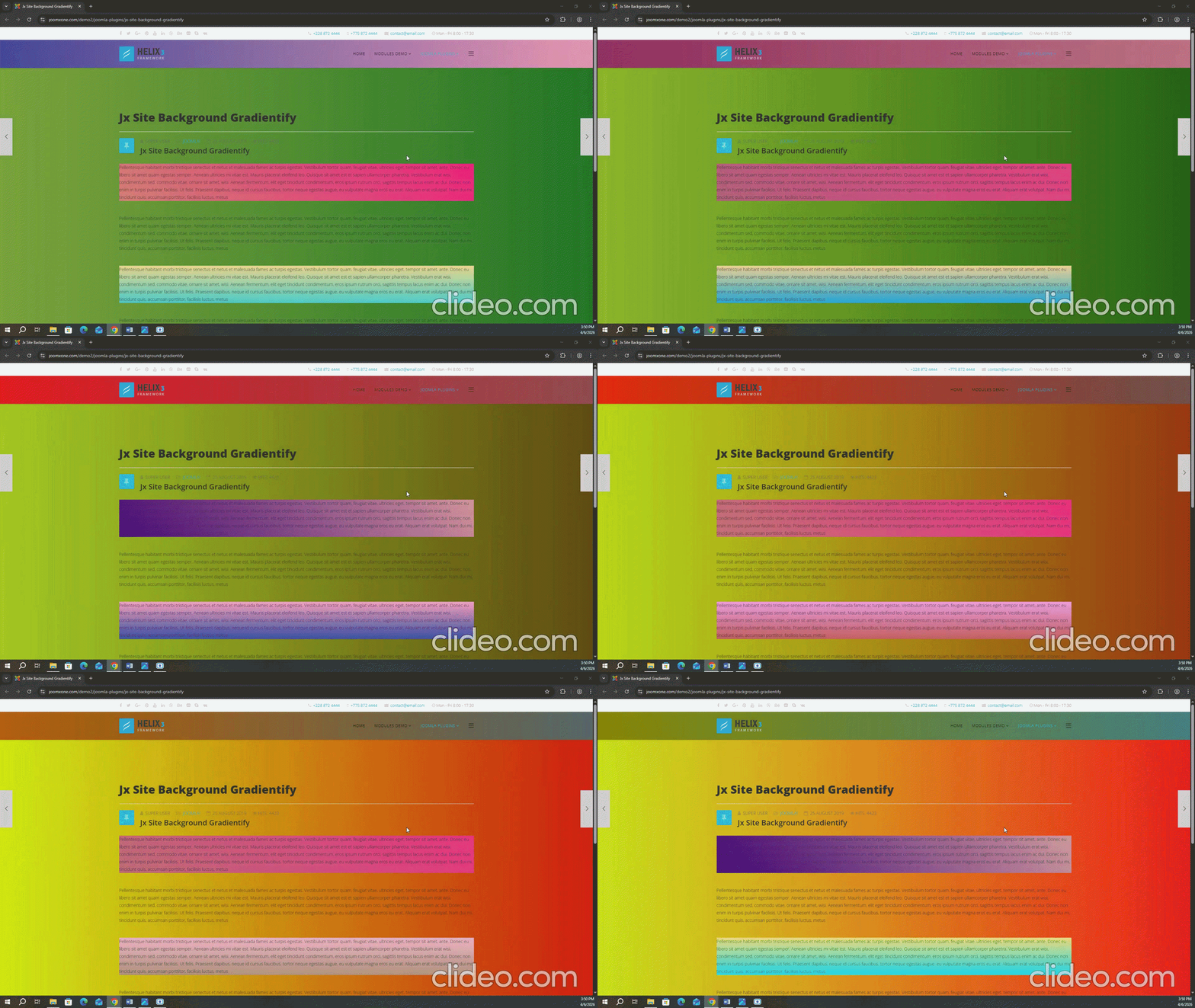
Frontend Mockup

Check out the GIF below. There are two sample GIFs, each of which can have its color, timing, and specific sections controlled through the backend options-

Documentations
Download and Support

Download this Module by going to the extension product page. You will find more details about this module. Please click on Download button below to go to the download page. and Click on Support Button below to navigate to our Support Forum