Documentations
Introduction
Plugin Version: 1.2.1 - last updated version
Ajax Voice Search
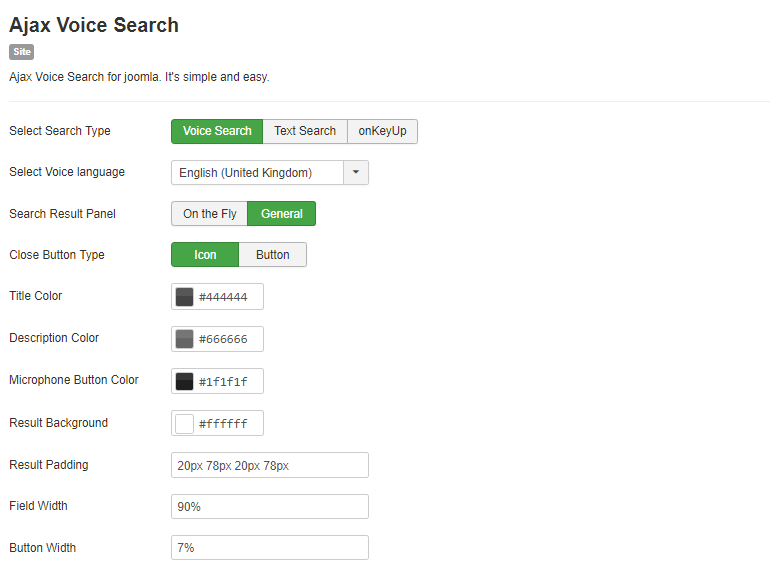
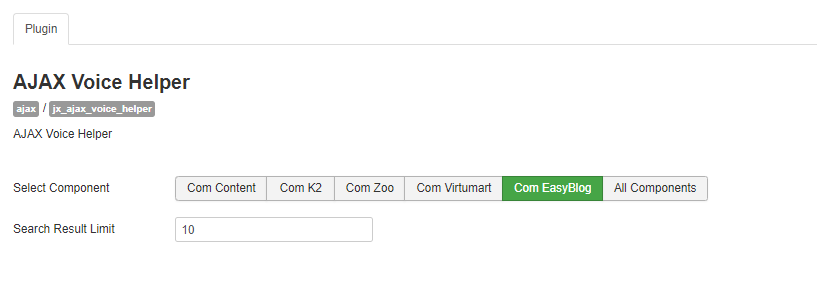
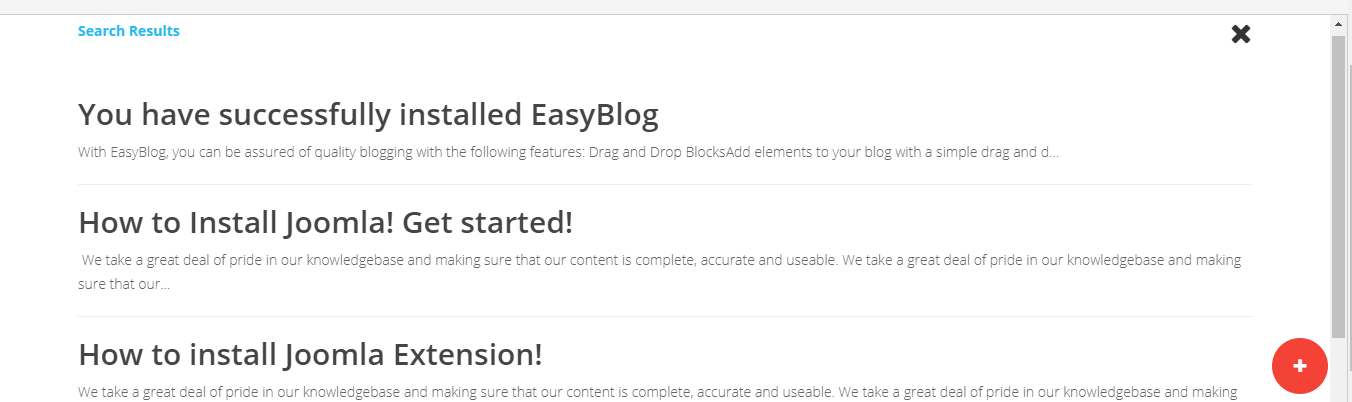
This is an Amazing Joomla Extension that searches Joomla Content/Articles with your voice command. The extension package includes a Plugin and a Module. Once you install the package, both extensions will be installed. At first, enable the plugin and then publish the module anywhere you want. The Plugin has options to select which component it will search. The module has style options and Search Types. It has text ajax search option as well besides the voice search, You have to choose it in module options The search result shows in two layouts – On the Fly and General. You can choose any of one in the module backend. (Make sure your device has an Internet connection and your domain has https://).
Supported Components: Joomla Artcles, Virtumart, K2, Zoo, EasyBlog
The search works with Title Matching of the content.
This Plugin installation is same as you install other Joomla extensions. Please follow the steps below –
- Login to Joomla Administrator Panel
- From top bar menu, go to Extensions → Manage
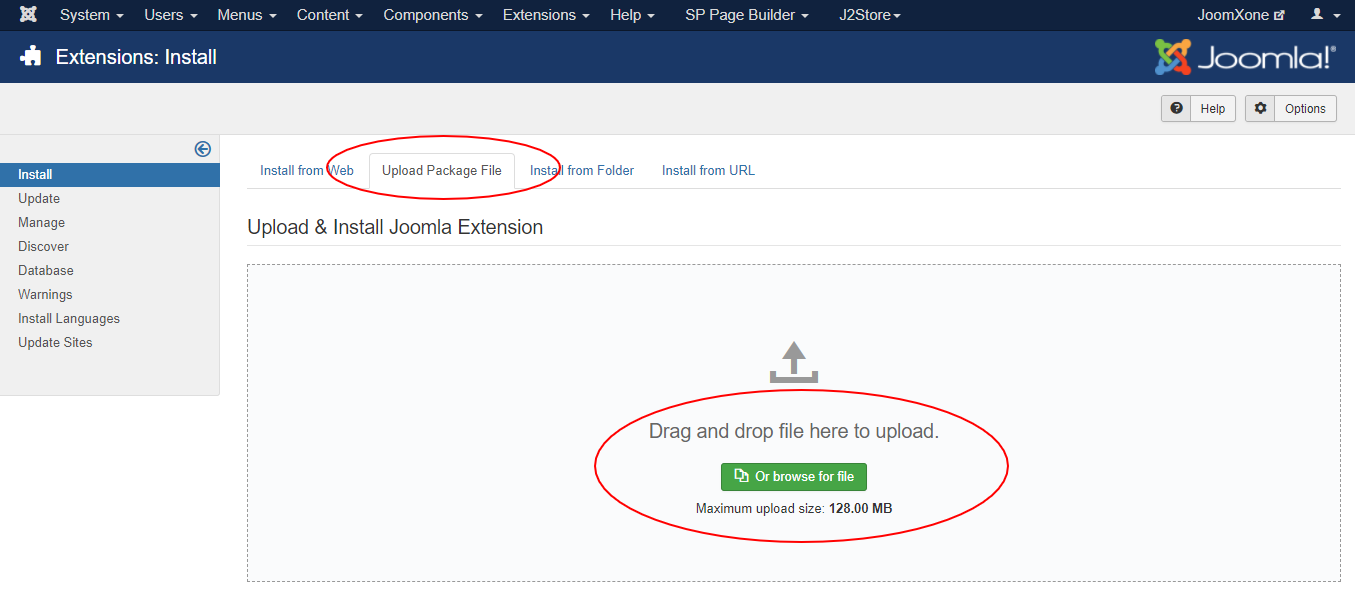
- Select Upload Package File tab. Now drag and drop the extension zip file. OR you can browse the zip file and upload. That’s it
- When uploading is done, you will see the success message of the installation. Now you can enable the module from Plugin manager and configure it.