Documentations
Introduction
Plugin Version: 1.1.1 - last updated version
Floating Action Buttons - Joomla Plugin
This is an Amazing Joomla System Plugin that displays an floating social action action button at you Joomla site. A floating icon will be displayed at web page, on mouse hover or on mouse click, the social icons will be expanded that can redirect your visitors at your social media sites. Those social media links can be set at the plugin back end. The most amazing thing is you can customize the positions of the button appearance and at your page. (At Live preview page Please see at the bottom right corner).
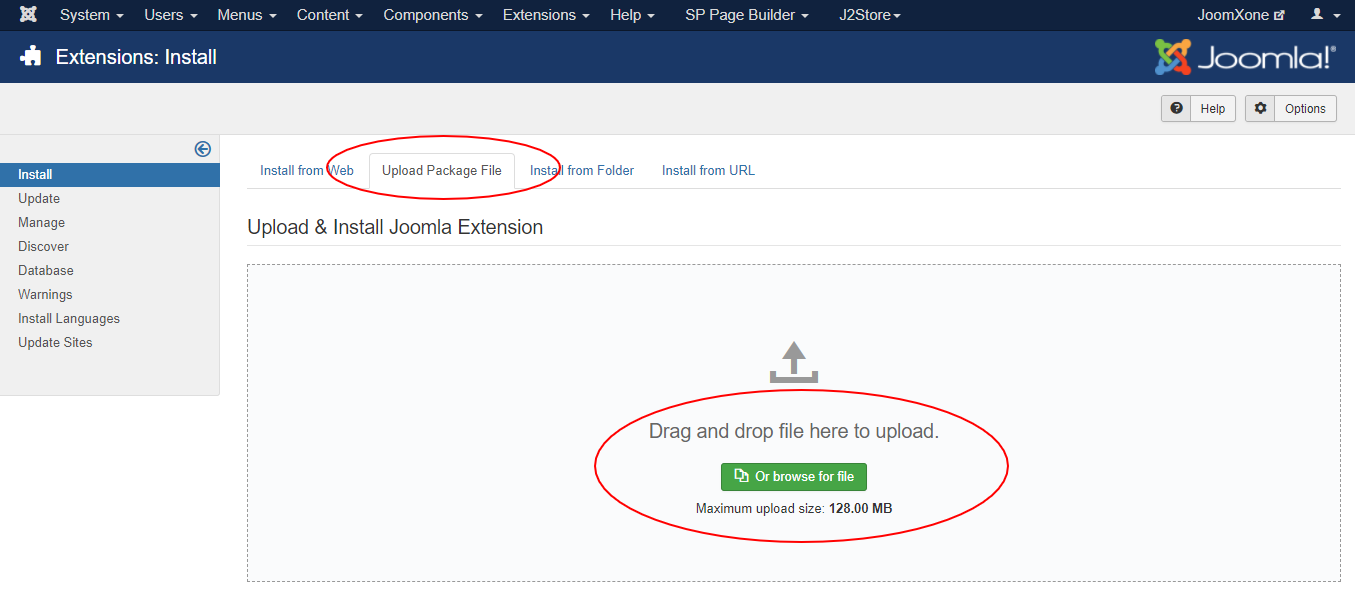
This Plugin installation is same as you install other Joomla extensions. Please follow the steps below –
- Login to Joomla Administrator Panel
- From top bar menu, go to Extensions → Manage
- Select Upload Package File tab. Now drag and drop the extension zip file. OR you can browse the zip file and upload. That’s it
- When uploading is done, you will see the success message of the installation. Now you can enable the module from Plugin manager and configure it.
Plugin Configuration Process –
- Navigate to Extensions → Plugins (Plugin Manager) in Joomla
- Open the desired plugin and enable it
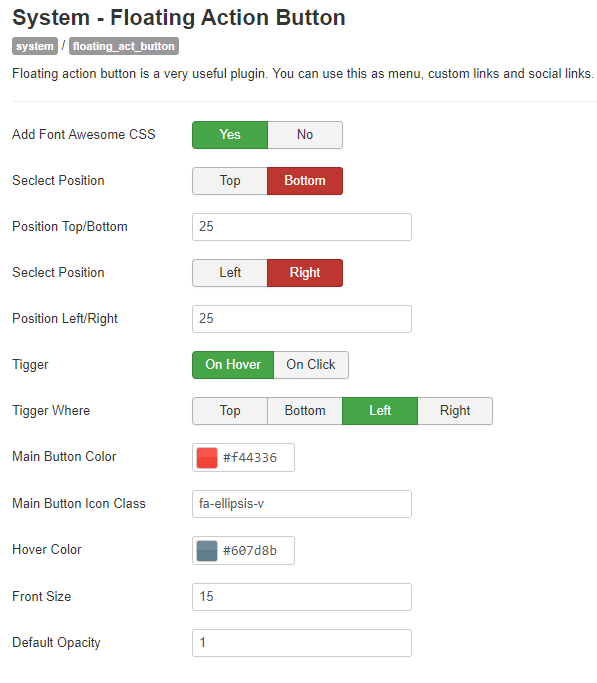
- Review all available configuration options carefully
- Adjust settings based on your website requirements
- Display social icons across all pages of your website
- Easily configure custom social media links from the backend
- Option to enable or disable Font Awesome CSS
- Flexible display positioning with support for custom placement values
- Advanced trigger options — show icons on hover or click
- Set custom trigger positions for better user interaction
- Fully customizable button styles, including support for custom icon classes
- Typography customization options for better visual control
- Supports major platforms like Facebook, Twitter, Google+, Pinterest, and more.
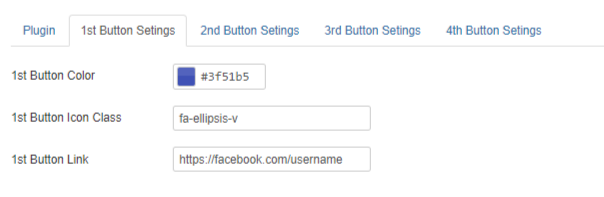
Button Settings:
- Configure up to 4 different button settings
- Fully customizable button colors to match your design
- Freedom to use any custom button class for styling flexibility
- Easy-to-use fields to assign button links