Skip to content
Documentations
Introduction
Plugin Version: 1.5.0 - last updated version
Jx Parallax Content Slider

This is an Amazing Joomla Module that displays a content slider at your Joomla website/page. It can be displayed at home page or any other page and any other Module Positions. The most amazing thing is You can Display Joomla native articles in the content slider as well as if you wish to display custome information and image you can also do that.

Documentations
Installation

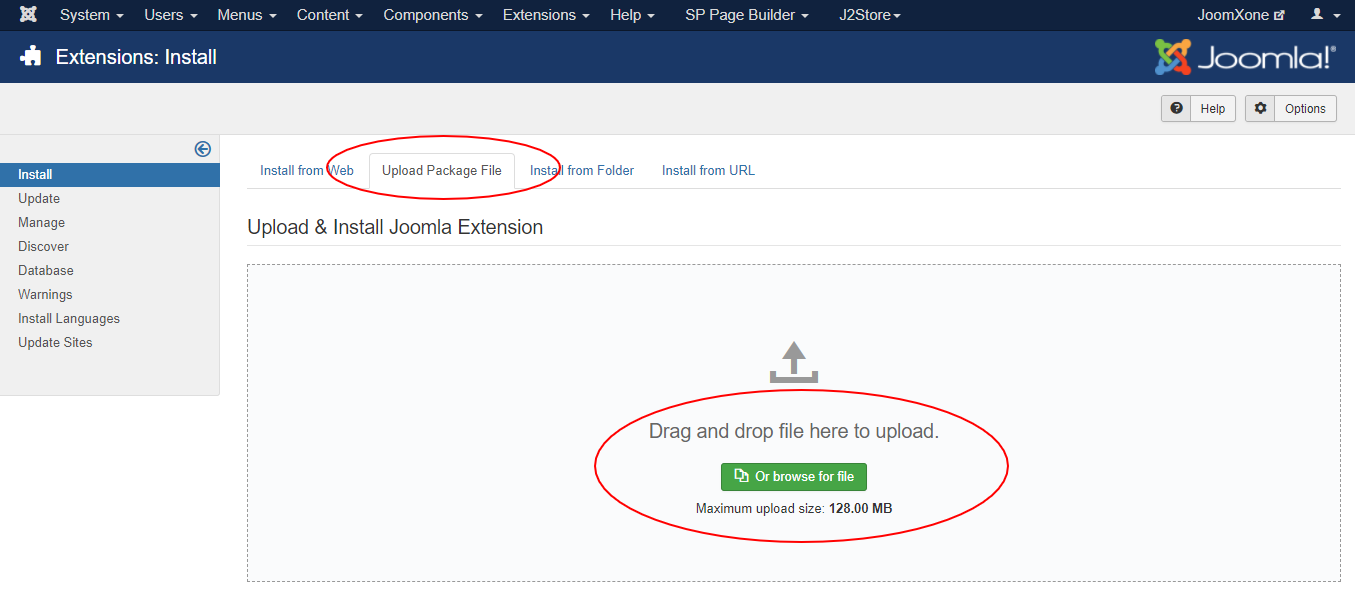
This Plugin installation is same as you install other Joomla extensions. Please follow the steps below – 

  • Login to Joomla Administrator Panel
  • From top bar menu, go to Extensions → Manage
  • Select Upload Package File tab. Now drag and drop the extension zip file. OR you can browse the zip file and upload. That’s it
  • When uploading is done, you will see the success message of the installation. Now you can enable the module from Plugin manager and configure it.
Documentations
Configuration

Module Configuration Process:

  • Go to Extensions → Modules (Module Manager) in Joomla.
  • Open the module and enable it.
  • Review all available configuration options and adjust them as needed.


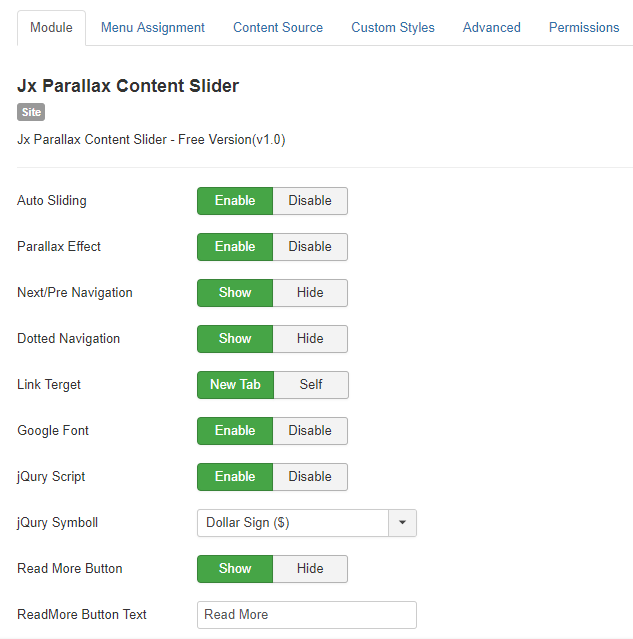
Module Settings:

  • Enable or disable auto sliding for the slider.
  • Control the parallax effect for a more dynamic visual experience.
  • Choose the navigation type and show or hide it on the slider.
  • Set how links open—either in a new tab or the same page.
  • Option to load Google Fonts for better typography.
  • Enable or disable jQuery loading as needed.
  • Show or hide the “Read More” button, and customize its text.

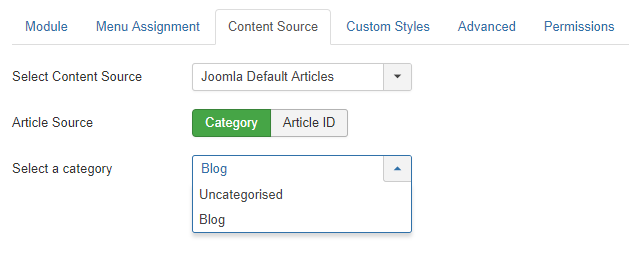
Define Dynamic Content Source:

  • Choose your content source.
  • Dynamically display content from a specific category on your slider or module

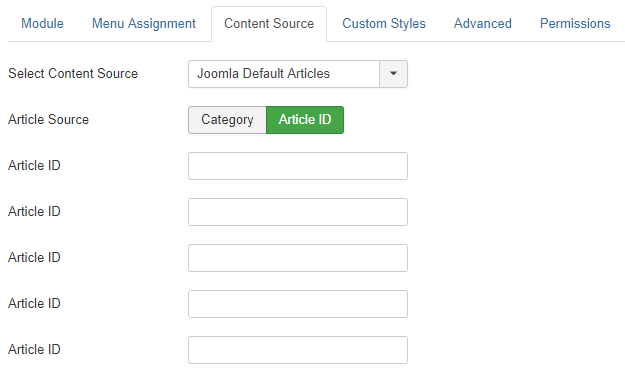
Select Manual Joomla Articles:

  • Manually choose the Joomla articles you want to display on the slider.
  • Enter the Article ID for each article; the slider will automatically use the article’s image as a thumbnail.
  • You can select up to 5 articles to display manually.

Write Your Own Content:

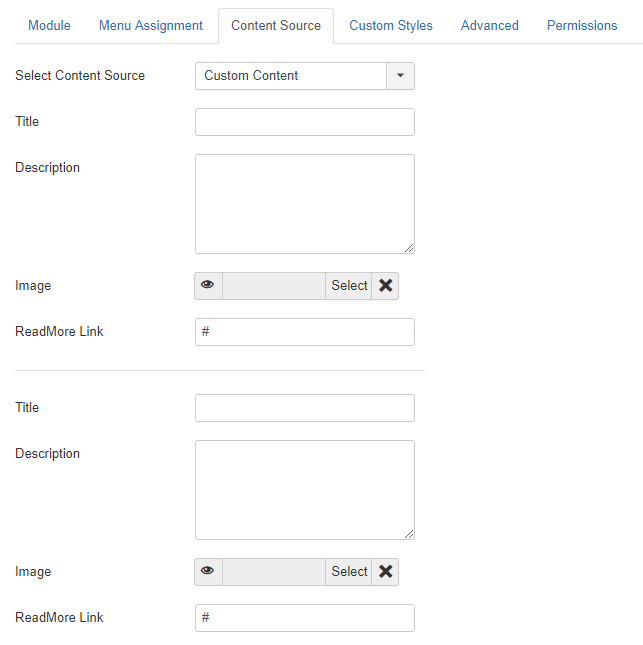
  • Instead of using dynamic Joomla content, you can create custom content for the slider.
  • Add a title, description, and image, along with a “Read More” link.
  • Your custom content will then be displayed directly in the slider.

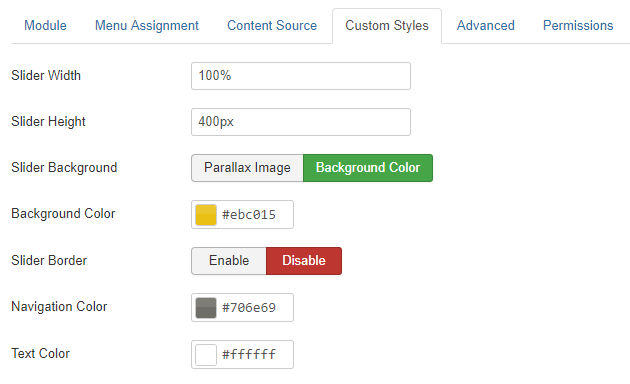
Control the Style:

  • Customize the slider’s appearance to match your website’s style.
  • Set the slider width and height.
  • Choose a parallax image or a solid background color.
  • Enable or disable the slider border.
  • Select the text and navigation colors.
Documentations
Video Documentation

Check the following video documentation of a wide overview of configuration of the plugin.

Documentations
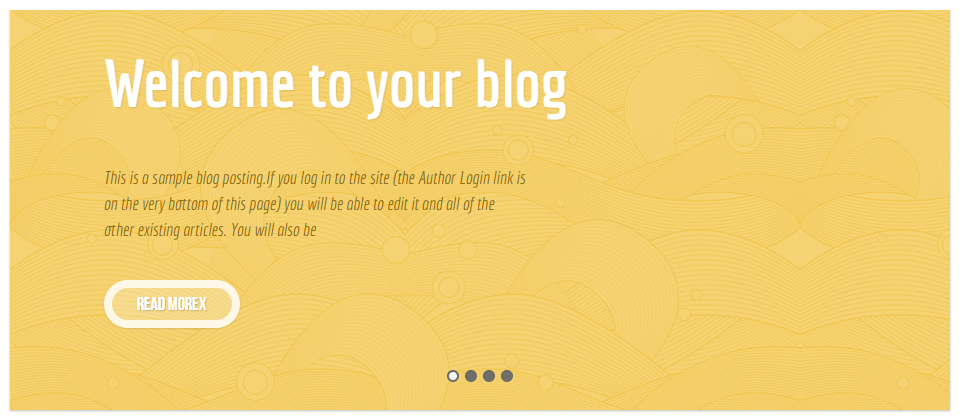
Frontend Mockup
Documentations
Download and Support

Download this Module by going to the extension product page. You will find more details about this module. Please click on Download button below to go to the download page. and Click on Support Button below to navigate to our Support Forum